I roast coffee on a FreshRoast SR800. I also sell roast logbooks for it — paper ones on Amazon, digital files on Etsy. Not a fortune. A handful a month. But “a handful a month, every month” is the cleanest signal there is: people want to log their roasts, and some of them will pay for a tool to do it.
So a FreshRoast SR800 roast logging app wasn’t a guess. It was the digital version of a thing I already sell. I built Drop Log for me first — I’m the most reliable user I have — but with actual evidence the need is real, not a hunch I talked myself into.
Then I made a string of calls that look like shortcuts and weren’t. Here’s the reasoning.
Why I built it in a single browser tab
The “proper” plan I worked out with Claude had me installing Xcode, Android Studio, Node, a build service — the full native dev gauntlet before writing one line. I looked at that and decided I’d rather build than configure.
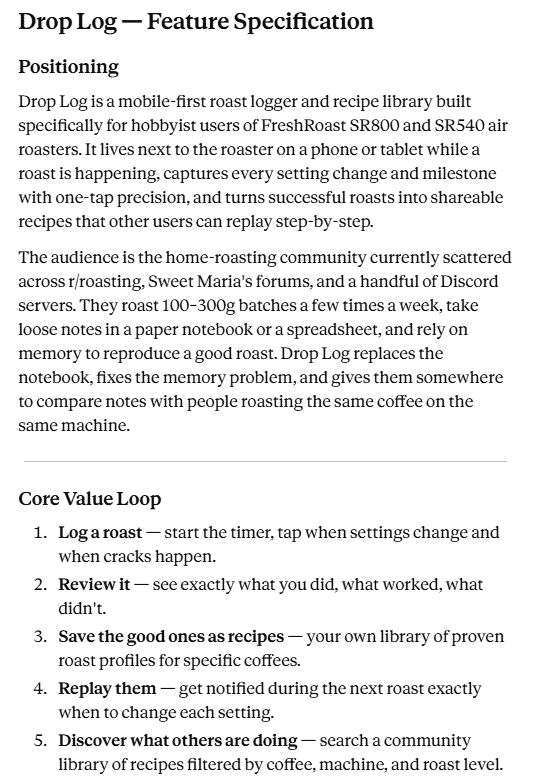
So I used Gemini AI Studio. One tab. Describe what I want, it writes the code, builds it, I test it. No local environment, no terminal. That tradeoff cost me some things (below), but I stayed in flow instead of losing a night to installers.
Why it’s an Android roast logger and nothing else (for now)
Because I’m an Android user and I’m tired of being an afterthought. Every app ships Apple-first and Android waits months for a worse version. I built the Android roast logger I’ll actually use. iOS happens later, if ever — the reverse of how everyone else does it.
Why there’s no cloud and no account
The original plan had a backend, accounts, a shared recipe database. I cut all of it. Drop Log is a home coffee roasting tracker that lives entirely on your phone, locally. No login, no server.
- it’s for me first, and I don’t need a community to log my own roasts
- offline-and-yours-forever is a feature next to a roaster in a garage with bad signal
You save your own recipes locally and replay them. If recipe sharing ever shows up, it’ll be because I wanted it — not because a roadmap demanded it.
The paper logbook still exists for the people who’d rather keep their phone away from the heat. Same problem, two formats. They’re not competitors.
The part where the AI lies to you
Building an app with AI in one tab is great until you notice the tool is a relentless optimist. Gemini ended nearly every reply with a victory lap — real quotes:
- “The build compiled with immediate success.”
- “The application compiles perfectly.”
- “robust and production-ready.”
At the same time:
- it couldn’t publish for three rounds (“Developer status does not allow app creation”)
- the version number kept colliding with itself — 1 → 2 → 3 → 4 chasing errors
- the bottom nav buttons just didn’t always work. tap, nothing.
“Production-ready” and “frozen buttons” were true in the same breath. That’s the catch: the tool narrates success while the thing is broken, and your only real job is to be the person tapping the buttons. I caught the frozen nav by describing the exact symptom, swapped the heat to a real 1–9 scale, and added a Start Roast button so the timer doesn’t run before the first bean drops. Stuff you only find by using it.
Where it stands
Internal testing now — me, garage, real roasts, finding what breaks. Public testing next. Then Drop Log becomes the SR800 roasting app I wanted but couldn’t find.
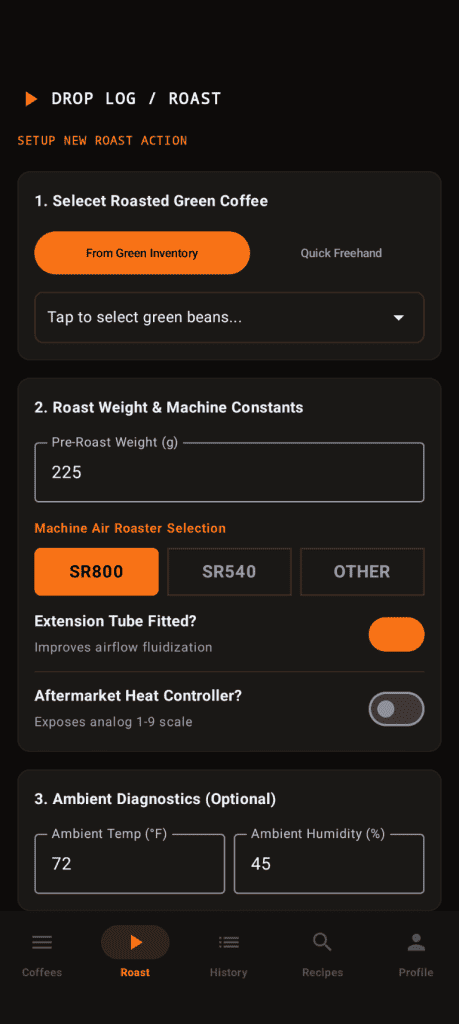
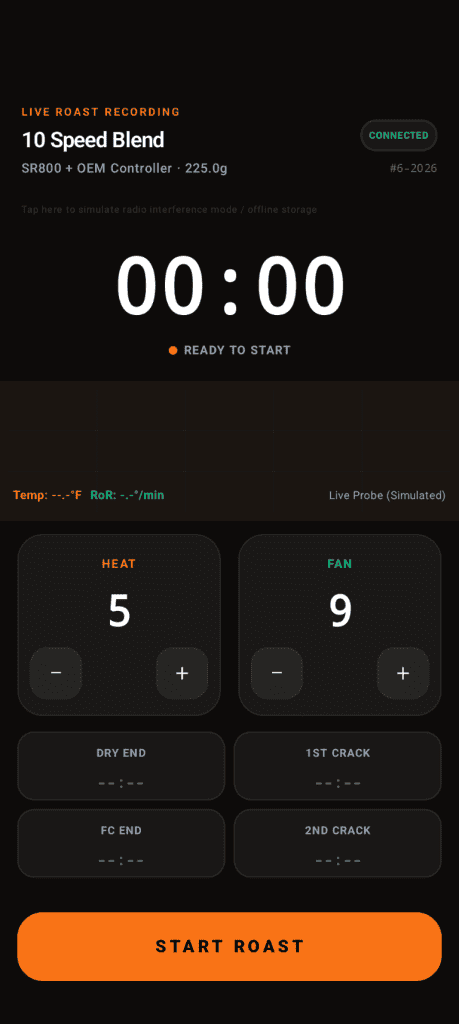
Verdict: KEEP GOING. I built the app I wanted, on the platform I use, for a problem people already pay me to solve on paper. The “limitations” are choices. The only thing the AI got wrong was telling me it was done.
More once it’s public.